APK safety checklist - Verified July 25, 2026, Ver. 1.0.4
Is Tomodachi Life APK Safe? Fake Download Warning Signs
Short answer: treat any third-party Tomodachi Life APK as unverified until the source, platform, file type, permissions, and download behavior are clear. This checklist helps you decide before installing and gives recovery steps if you already installed something suspicious.
Official update verified
Nintendo Support lists Tomodachi Life: Living the Dream Ver. 1.0.4 as the latest software update, released July 22, 2026.
Main risk
Fake APK pages often promise full games, every platform, or instant downloads without clear source details.
File mismatch
APK, ROM, emulator, and PC installer files are different. Confusing them is a common red flag.
Best practice
Verify platform claims, permissions, source reputation, and official facts before installing anything.
Verified Links to Use Before Trusting APK Mirrors
If a Tomodachi Life APK page does not match these official or project sources, treat it as unverified and check the file carefully before installing anything.
Tomodachi Life: Living the Dream Ver. 1.0.4
Nintendo Support lists Tomodachi Life: Living the Dream Ver. 1.0.4 as the latest software update, released July 22, 2026.
Open update guideTomodachi Life: Living the Dream
Nintendo official source for the newer title and platform information.
Open Nintendo pageOriginal Tomodachi Life 3DS
Nintendo official source for the original Tomodachi Life game.
Open Nintendo pageAzahar GitHub Releases
A real emulator release page that can be compared against repackaged or fake emulator APK claims.
Open releasesLatest Official Version Check
As of July 25, 2026, Nintendo Support lists Tomodachi Life: Living the Dream Ver. 1.0.4 as the latest software update, released July 22, 2026. Update through the Nintendo Switch or Switch 2 console software-update flow via the internet. This site does not provide APK, ROM, NSP/XCI, emulator game files, torrents, cracks, keys, firmware, BIOS files, or unofficial mirrors.
| Official source | Latest version | Released |
|---|---|---|
| Nintendo Support | Ver. 1.0.4 | July 22, 2026 |
Direct Answer: When Should You Stop the Download?
Stop immediately if the page forces surveys, browser extensions, password archives, mirror loops, unrelated launchers, or a single file that claims to support Android, Windows, Mac, Linux, Switch, and 3DS. Those signals are stronger than any site name or comment count.
| Signal | Why It Is Risky | Action |
|---|---|---|
| Forced extension or launcher | Can install unrelated software. | Close the page and do not run it. |
| Password archive | Can hide scanner results and real contents. | Avoid the file. |
| Broad platform promise | One APK cannot honestly be every platform. | Use official platform facts first. |
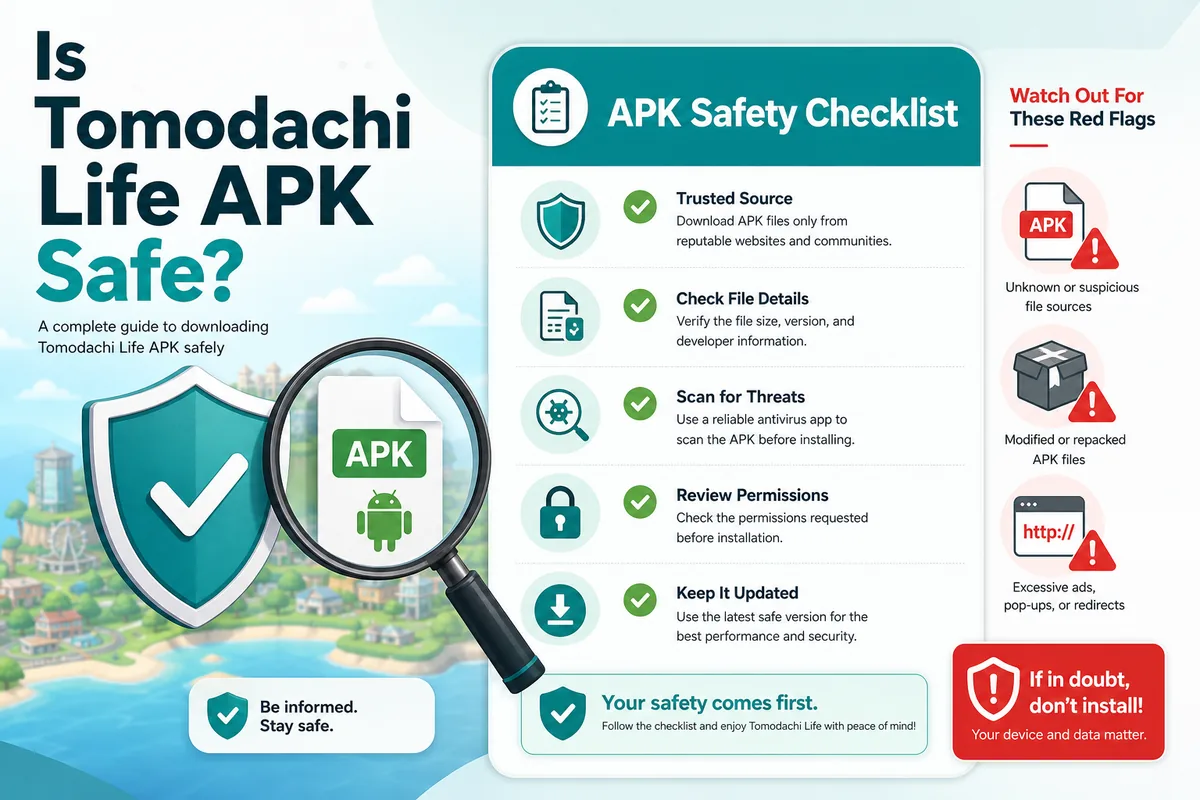
Tomodachi Life APK Safety Checklist
Use this checklist for APKTodo-style pages, ModCombo-style pages, mediafire links, torrent claims, PC installers, and Living the Dream APK pages.
-
Check the source
A page should explain who provides the file, what platform it supports, and why it is trustworthy.
-
Check the platform claim
Be careful if one file claims to support Android, Windows, Mac, Linux, Switch, and 3DS at the same time.
-
Check the permissions
Unknown APKs asking for unrelated permissions can indicate a privacy or malware risk.
-
Check the download behavior
Avoid survey gates, forced browser extensions, password archives, and secondary launchers.
Common Fake Tomodachi Life APK Red Flags
Many fake download pages use similar patterns. These signals do not prove a file is malicious by themselves, but they are strong reasons to stop and verify.
| Red Flag | Why It Matters | Example Search Intent |
|---|---|---|
| Full game free APK | Popular bait for copyrighted console games | tomodachi life full apk |
| Every platform in one file | APK cannot normally be every platform at once | tomodachi life apk windows |
| Unknown PC installer | May install unrelated software | tomodachi life download pc |
| Fake new version number | Can make old or unrelated files look current | tomodachi life 2 apk |
| Ad loop or survey gate | Often blocks the real file or pushes unrelated offers | tomodachi life mediafire apk |
What to Do If You Already Installed a Suspicious APK
If you installed a file and something feels wrong, take practical steps quickly.
Remove the app
Uninstall the APK or unknown installer and remove any extra apps it added.
Review permissions
Check app permissions, browser extensions, downloads, and recently installed programs.
Scan the device
Use your device's security tools and change passwords if you entered credentials on a suspicious page.
Risk Levels for Tomodachi Life APK Pages
Not every suspicious page has the same risk, but the safest content strategy is to classify the pattern and tell users what to do next.
| Risk Level | Pattern | Recommended Action |
|---|---|---|
| Low | Information-only page with official platform links | Read and compare sources. |
| Medium | APK mirror with ads but clear file details | Do not install until source, permissions, and reputation are checked. |
| High | Full game free APK plus broad platform promises | Avoid the download. |
| Critical | Forced installer, extension, password archive, or survey loop | Close the page and scan the device if anything was installed. |
How to Decide Whether to Trust a Tomodachi Life Download Page
Safety content should be practical. Instead of only saying be careful, the page should help users evaluate the source, the claim, the file, the permissions, and the page behavior. This creates useful depth for searches like is APKTodo safe, fake APKs, and Tomodachi Life malware.
Source quality
Does the page explain who provides the file, what version it is, and why the platform claim is plausible?
File quality
Does the file type match the claimed device, or is it a generic archive, launcher, or extension?
Behavior quality
Does the download work directly, or does it push surveys, ads, browser extensions, and password gates?
When This APK Safety Page Is the Right Answer
Use this page when the visitor has already found a file or download site and needs to decide whether to trust it. It is built for searches around fake APKs, APKTodo safety, ModCombo-style claims, malware concerns, mediafire links, full APK wording, and suspicious PC installers. The page works best as the final checkpoint before installation: it classifies the risk, lists concrete red flags, and gives recovery steps if the user already installed something suspicious.
Best for site-name safety searches
It teaches users not to trust or reject a file only by the site brand; the file behavior matters more.
Best for malware concern
It lists practical signs of fake APK behavior, including permissions, installers, archives, and ad loops.
Best for recovery steps
It gives a short workflow for uninstalling, checking permissions, scanning, and changing passwords if needed.
Practical Safety Workflow
A visitor who already found a Tomodachi Life APK page needs a clear workflow. These steps are written for real users who may be deciding whether to install, or who may have already installed a suspicious file.
-
Pause before installing
Do not install the file immediately. Check whether the platform, file type, and source make sense.
-
Search the exact file name
Look for reports about the specific package name, archive name, or installer name, not only the site brand.
-
Review permissions and behavior
Unexpected SMS, contacts, accessibility, notification, or overlay permissions are warning signs for a game APK.
-
Remove and scan if needed
If you installed something suspicious, uninstall it, review recent apps and extensions, scan the device, and change passwords if you entered credentials.
Related Safe Download Guides
Tomodachi Life APK
Understand general Android APK download claims around Tomodachi Life.
Open guideLiving the Dream APK
Check newer-title APK claims before trusting a download page.
Open guideTomodachi Life PC
Review PC installer and laptop download warning signs.
Open guideLiving the Dream Guide
Read the official-game hub for release, price, demo, Switch support, Miis, and GameShare details.
Open guideROM Safety Guide
Separate ROM, NSP/XCI, APK, emulator, and official source claims.
Open ROM guideOfficial Sources and Verification Links
These external references are used as factual anchors when comparing APK, PC, emulator, and official platform claims.
Nintendo Living the Dream
Official Nintendo product information for Tomodachi Life: Living the Dream and its platform context.
Visit NintendoNintendo Tomodachi Life 3DS
Official Nintendo page for the original Tomodachi Life title on Nintendo 3DS.
Visit NintendoNintendo 3DS Online Notice
Nintendo support notice about Nintendo 3DS and Wii U online services ending on April 8, 2024.
Read support noteNintendo Support update page
Nintendo Support lists Tomodachi Life: Living the Dream Ver. 1.0.4 as the latest software update, released July 22, 2026.
Open update guideTomodachi Life APK Safety FAQ
What is the latest official version of Tomodachi Life: Living the Dream?
Nintendo Support lists Ver. 1.0.4 as the latest software update, released July 22, 2026. Update from the Switch HOME Menu via Software Update > Via the Internet.
Is Tomodachi Life APK safe?
A third-party Tomodachi Life APK should be treated as unverified unless the source, platform, permissions, and file behavior are clear. Many APK pages use the game's name for search traffic.
Is APKTodo safe for Tomodachi Life?
Do not judge safety by the site name alone. Check the file type, permissions, download behavior, user reports, and whether the platform claim matches official information.
Can a fake APK contain malware?
Yes. Unknown APKs and installers can contain unwanted software, intrusive ads, credential theft risks, or unrelated payloads.
Are Tomodachi Life 2 APK downloads safe?
Tomodachi Life 2 APK searches often refer to Living the Dream. Treat APK claims as unverified unless official Android availability is confirmed.
What is the biggest warning sign?
The biggest warning sign is a page promising a full free game for every platform through one APK, archive, or installer.
Can a Tomodachi Life APK steal data?
Any unknown APK can request sensitive permissions or include unwanted behavior. Check permissions, package details, source reputation, and download behavior before installation.
What should I do first after installing a suspicious file?
Uninstall the app or program, remove related browser extensions, scan the device, review permissions, and change passwords if you entered credentials on the download page.