Island planning guide - Official version checked August 6, 2026, Ver. 1.0.4
Tomodachi Life Island Layout Guide: Ideas, Zones, and Planning Tips
The best Tomodachi Life island layout is the one that makes your daily routes easy to read and still feels like your island. Start with a public center, keep homes and facilities in clear districts, leave room for scenic corners, and revise after you see how Miis move through the space. This guide explains practical layout ideas for Tomodachi Life: Living the Dream without pretending that a fan-made grid, save file, or downloadable layout can be imported into the game.
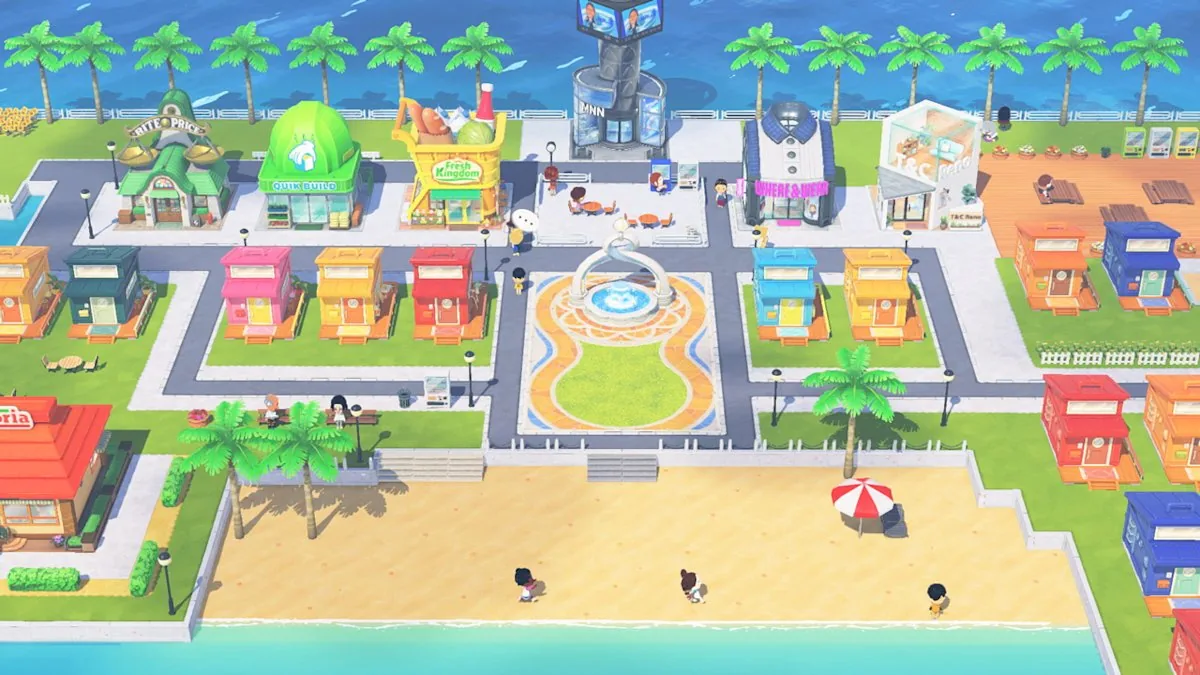
Plan movement first
Place the routes you expect to use every day before you spend time on decorations. A readable island is easier to adjust than a crowded one.
Use zones, not a rigid grid
A compact center, residential streets, and quieter edges give you a useful structure without claiming that one community layout is the official answer.
No layout-file download
This is a planning guide, not an importer. Do not trust pages that promise a universal layout file, save archive, APK, ROM, or hidden grid tool.
Quick Answer: How to Plan a Tomodachi Life Island Layout
Treat your island like a small town with a readable center and a few neighborhoods. First decide which buildings should be easy to reach, then group homes or themed areas around those routes. Keep a beach, park, or edge area open so the island does not feel like one uninterrupted block. Finally, walk through the island after each major change and ask whether the route still works for the way you play. Search terms such as Tomodachi Life island layout, island layout ideas, and Living the Dream island layout usually point to inspiration rather than a single correct map. The useful answer is a repeatable planning method: zones first, details second, and no unsupported promise that another player's picture can be imported directly.
-
Choose the island story
Decide whether the island should feel like a compact town, a set of themed districts, a resort, or a relaxed neighborhood. This choice keeps later building decisions consistent.
-
Reserve the public core
Keep the facilities you visit most often near a central route. Leave enough visual breathing room that the center remains easy to recognize when more buildings appear.
-
Group homes by a reason
Use family, friend, character, color, or story themes if they help you remember the island. Avoid moving every home just because a screenshot looks different.
-
Test before decorating
Walk the routes, inspect the beach and edges, and only then add the small decorative choices that make the layout feel personal.
What to Decide Before Placing Buildings
A layout becomes easier when each part of the island has a job. The table below is planning advice, not a claim that Nintendo requires these exact zones. Some details can change with game progress, mode, region, or the current software version, so use official information for fixed game facts and use your own play experience for aesthetic decisions.
| Zone | Useful purpose | Planning question |
|---|---|---|
| Public center | A recognizable place for frequently visited facilities | Can you reach it without crossing the whole island? |
| Residential streets | Homes and character-focused neighborhoods | Would grouping these Miis make the island easier to remember? |
| Beach or open edge | A visual pause, scenic route, or relaxed gathering area | Have you left enough space for the island to breathe? |
| Theme district | A food, color, season, or story-based area | Does the theme help the district feel different from the center? |
| Revision space | Room for later changes as the island grows | What will you move if the first plan stops working? |
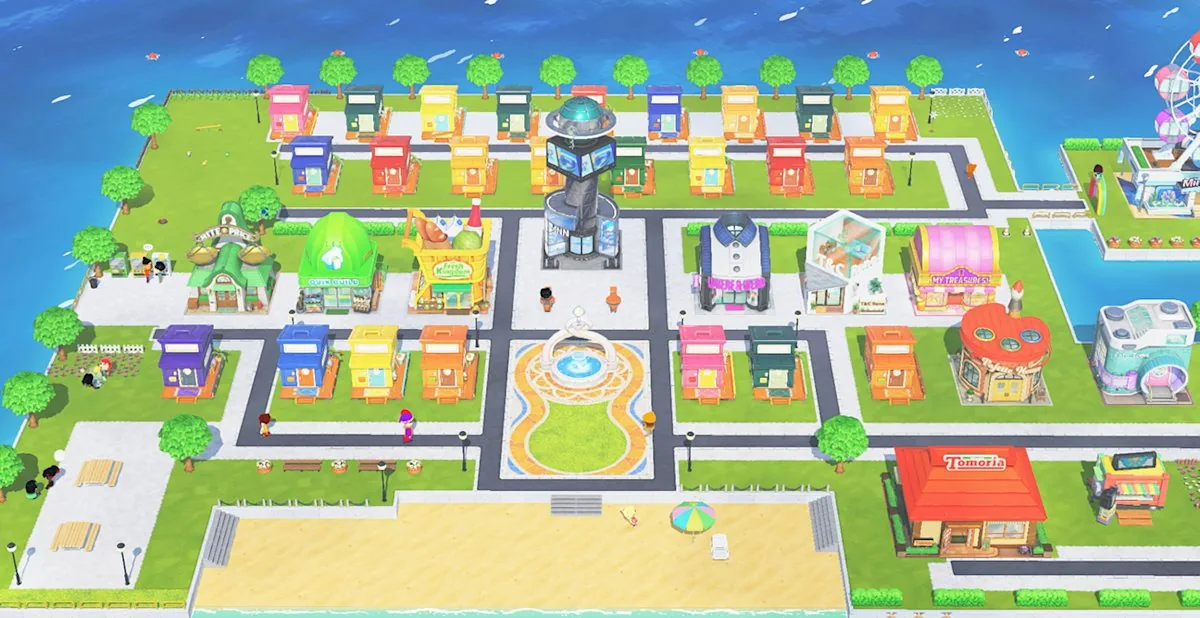
Three Tomodachi Life Island Layout Ideas
The phrase island layout ideas is broad, so choose a style that matches what you want to notice while playing. A good style is not only attractive in a screenshot; it should make the next action obvious when you return to the island later.
1. Compact town center
Keep major facilities around one central route and place homes in short streets around it. This style is easy to scan and works well when you prefer quick daily visits over a large scenic walk. Use a small open square or landmark to make the center memorable instead of filling every gap.
2. Districts with a clear walk
Give each side of the island a purpose, such as residents, food, character stories, or seasonal decoration. Connect the districts with one main walk so the island feels organized without becoming a straight row of identical buildings.
3. Scenic and cozy edges
Place less frequently visited homes or story locations near beaches, trees, or quieter edges. The center stays practical while the edge becomes a destination. This approach is useful when screenshots and atmosphere matter as much as efficiency.
A Practical Planning Loop for Building Placement
You do not need a perfect island layout before you begin. Make one small plan, test it, and adjust only the part that causes friction. This is safer than copying a social-media screenshot whose game version, progress state, or available buildings may not match yours.
-
Sketch three to five zones
Write the purpose of each zone in a note. If you cannot describe a zone in one sentence, it may be too complicated to maintain.
-
Mark the main route
Choose the path you want to recognize immediately. Put a landmark, open square, or public area near it so orientation does not depend on memorizing every building.
-
Place high-traffic facilities
Use the central or most convenient area for the places you expect to check often. Do not move a building only to satisfy a visual trend if it makes your routine slower.
-
Add homes and themes
Group residents by a meaningful idea, then leave a little variation. Perfectly repeated rows can look tidy but may make the island feel less like a living place.
-
Review after real play
Return after a normal session and note where you naturally walk, where the layout feels crowded, and which empty space you are glad to have kept.
Read Official Island Media as a Layout Reference
Official screenshots are useful because they show relationships between buildings, roads, homes, public facilities, and open scenery. They are not downloadable layouts. Look for principles you can adapt: a recognizable center, a repeated road language, visual separation between districts, and enough empty space for beaches or landmarks. Do not infer a universal building order, exact grid coordinates, or hidden save-file instructions from one image. If a community post shows a layout you like, use it as inspiration and check that its game title and software version match your own before treating any detail as advice.
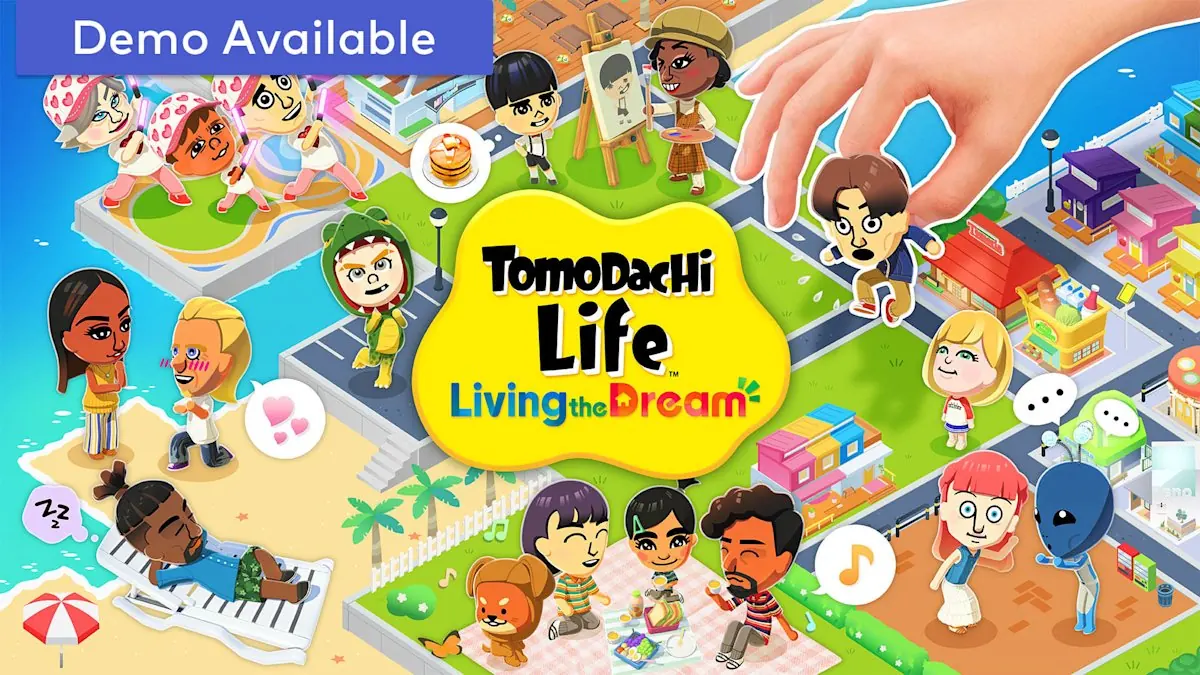
What the image can tell you
It can suggest color groups, landmark placement, open-space balance, and how a central route can connect different parts of the island.
What the image cannot tell you
It cannot verify an import format, a fixed coordinate grid, a universal unlock order, or a safe download link. Those claims need separate official evidence.
How to turn it into your plan
Pick one principle from the image, recreate it with your own available buildings, and test the route before copying any decorative details.
Living the Dream Island Layout and Original Tomodachi Life
Search results often combine the original Nintendo 3DS Tomodachi Life with Tomodachi Life: Living the Dream for Nintendo Switch. That matters when you compare island layout pictures. A building, route, feature, or screenshot from one title should not automatically be presented as a feature of the other. Keep the game title visible in your notes, check the platform context, and treat a fan layout as an idea rather than a universal compatibility promise. The newer title also has its own official product and support information, so the current version and platform should be checked before you repeat a detail in a guide or post.
Use the title as a filter
Label references as original 3DS or Living the Dream before you compare them. Similar names can hide different platform expectations.
Keep layout advice flexible
Say that a screenshot inspires a district or route. Avoid saying that the same buildings, coordinates, or save data work across both games unless an official source confirms it.
Check the current update
This site checked Nintendo Support on August 6, 2026; the latest official full-game version listed there is Ver. 1.0.4, released July 22, 2026.
Island Planner, Grid, Reset, and Import Questions
The keyword island layout planner can sound like a request for a functional editor. This page does not provide a planner that connects to Nintendo or creates an importable save. It also does not host ROMs, APKs, NSP/XCI files, save archives, or third-party layout packages. Use the planning loop above for a paper or note-based plan, then make changes through the official game systems available to you.
Planner expectation
A reference image, checklist, or hand-drawn map can help you plan, but it is not the same as a working in-game importer. Treat tool claims carefully.
Grid expectation
Community posts may mention measurements or grid sizes. Unless Nintendo documents the number for your title and mode, do not build the guide around an unverified coordinate claim.
Reset expectation
Before moving or resetting anything, check the in-game prompt and your own save situation. Do not download a reset file from an unknown page just because a search result promises a faster layout.
Version and Download Boundary
Tomodachi Life Download Guide is a non-official information site. For the current game version, platform support, and update steps, use the official Nintendo references linked below. This layout article intentionally has no download button: a layout guide does not need an APK, PC installer, ROM, emulator bundle, or direct game file. If a page combines island layout inspiration with a suspicious download prompt, separate the useful visual idea from the file claim and use the site's APK safety, PC, emulator, or ROM guides for the relevant risk question.
Official version checked
Nintendo Support lists Tomodachi Life: Living the Dream Ver. 1.0.4 as the latest full-game software update checked for this page on August 6, 2026.
No guessed file link
There is no verified APK, EXE, ZIP, NSP, XCI, or layout-save file to link here. The official product and support pages are the safe fallback.
Use the right guide
For platform questions, open Where to Play or the Switch 2 guide. For naming ideas, use the Island Name Generator. For characters, use the Characters guide.
Related Tomodachi Life Guides
Living the Dream Guide
Read the broad official-game overview for Switch platform context, gameplay, Miis, demo questions, and safe source checks.
Open game guideIsland Name Generator
Create themed island name ideas in the browser without save-file, account, APK, or ROM access.
Try name ideasCharacters Guide
Plan Mii residents, character roles, and cast balance before assigning homes to a district.
Plan your castSwitch 2 Compatibility Guide
Separate island-layout inspiration from Switch and Switch 2 compatibility, buying, and update questions.
Check platform supportWhere to Play Tomodachi Life
Compare the original 3DS title, Living the Dream, online wording, PC searches, Android claims, and emulator boundaries.
Compare platformsOfficial Sources and Reference Points
These links support the platform, version, and island-context claims without turning this page into a download mirror.
Nintendo product page
Official Tomodachi Life: Living the Dream product information and platform context.
Open product pageNintendo Support update page
Official update instructions and the Ver. 1.0.4 version reference checked for this guide.
Open update pageNintendo FAQ
Official answers for Tomodachi Life: Living the Dream features, platform context, and game questions.
Open official FAQTomodachi Life Island Layout FAQ
What is a good Tomodachi Life island layout?
A good layout has a readable route, a practical public center, residential or themed districts, and at least one open or scenic area. The best choice depends on whether you value fast daily visits, story-based neighborhoods, or screenshots and atmosphere.
Can I import someone else's Tomodachi Life island layout?
Do not assume that a screenshot, grid image, or community post is an importable file. This page does not verify a universal layout-import format and does not link to save archives, ROMs, APKs, NSP/XCI files, or unknown packages. Use references as inspiration and recreate the idea through the official game systems available to you.
Is there a Tomodachi Life island layout planner?
There are search results and community references described as planners, but this page does not present a connected or importable tool. A paper sketch, note, or simple map can still help you test zones before changing the island.
How do I reset my Tomodachi Life island layout?
Check the exact in-game prompt and save situation before resetting or moving anything. The search phrase has low and inconsistent keyword data, so do not download a reset file from a page that cannot explain the official process for your title and version.
Should homes or facilities go in the center?
Put the places you visit most often on the clearest route, then group homes or themed areas around that core. If residents are the main focus of your island, a residential center can work too; the important part is that the route has a purpose and remains easy to recognize.
Do Tomodachi Life and Living the Dream use the same island layout?
Treat them as different platform and game contexts. A picture from the original Nintendo 3DS title should not automatically be presented as a Living the Dream layout, and a similar name does not prove that buildings, coordinates, or save data transfer between titles.
Does the island layout affect game progress?
Use official game information for fixed progression rules. As a planning principle, layout mainly changes how you organize and read the island; do not claim that a particular fan arrangement unlocks content unless an official source documents it.
Can I download a Tomodachi Life island layout APK or PC file?
A layout guide does not need an APK or PC installer. Treat pages that combine a layout picture with a full-game download, save archive, ROM, or unknown installer as a separate safety question, and use official Nintendo pages or the site's safety guides instead of guessed direct files.